Skip to footer
Volkswagen
  • Models
  • Models
  • E-mobility and ID.
    • ID. Magazin
    • ID. Knowledge
    • Your electric journey
      • ID. Polo
      • ID.7 Tourer
      • ID.3 Neo
      • ID.5
      • ID.4
      • ID.Buzz
      • ID.7
  • Owners and services
    • myVolkswagen
      • Help for apps and digital services
      • Navigation Map Update
    • Service and parts
    • Engine oil and fluids
    • Wheels and tyres
    • Accessories
    • Customer information
      • Information on EA189 diesel engines
      • Takata airbag product safety recall
      • WLTP
      • Software updates
      • Recycling and return
    • Digital extras
      • Find services for your model
      • Volkswagen Apps, Login and Shop
      • Connect mobile phone and vehicle
      • Updates for software, maps and radio
  • Contact
  • Volkswagen

Volkswagen

  • Volkswagen AG
  • Volkswagen International

Social Media

  • Facebook
  • Instagram
    • Imprint
    • Legal Statement
    • Cookie Policy
    • Privacy Policy
    • Volkswagen AG (Imprint & Legal texts)
    • Product Safety Information
    • Accessibility Statement Page
    • EU Data Act
    • CIC Withdrawal
    © Volkswagen 2026

    Disclaimer by Continental Cars Ltd.

    1. The information, pictures, colours, and specifications contained within this website are presented as a general guide to the products and accessories offered by Continental Cars Ltd. Although every effort has been made to ensure that such information is correct and up to date, no warranty is provided that all such information is reliable, complete, accurate or without error. In some cases pictures of overseas models may be shown as a guide. Therefore, neither Volkswagen AG nor Continental Cars Ltd accept liability for damages of any kind resulting from the access or use of this site and its contents.

    In-Car App Vehicle Service⁠

    The In-Car App Vehicle Service helps you keep an eye on maintenance, inspection intervals and vehicle status and makes it easy to schedule service appointments directly from your vehicle.
    • Benefits

      Go to Benefits
    • Features

      Go to Features
    • How it works and FAQ

      Go to How it works and FAQ
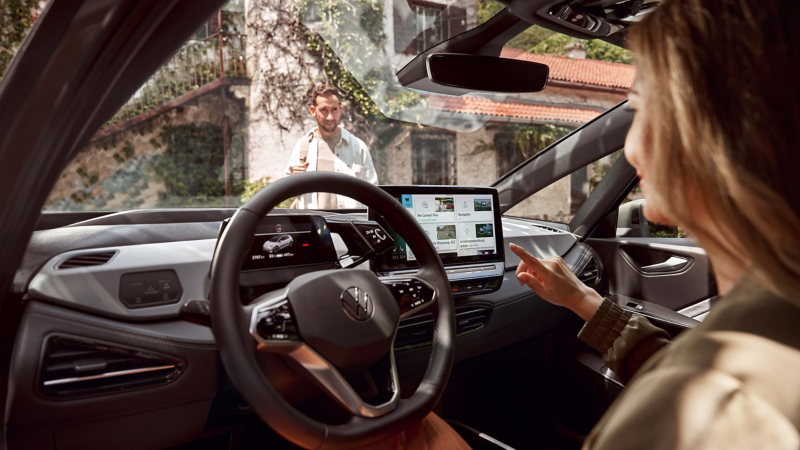
    Woman uses In-Car App Vehicle Service in the VW infotainment system

    The smart way to get a service appointment

    Whether it’s for a repair, maintenance or the next oil change: With the In-Car App Vehicle Service, you can keep track of the status of your Volkswagen. Thanks to intelligent sensor technology that continuously analyses the condition of the vehicle, your Volkswagen can now recognise when it needs a service on its own and automatically send you a reminder. This allows you to make an appointment directly with your Volkswagen Partner. If you wish, the vehicle data can also be automatically sent to your preferred Volkswagen Partner, who will contact you if necessary.

    Download app

    To use the features of the In-Car App, all you need to do is log in to the infotainment system of your Volkswagen with your Volkswagen ID. Depending on the model year, you can access the pre-installed app directly, if VW Connect⁠ is activated. Otherwise, you can download it free of charge from the In-Car Shop.⁠ Or you can visit our Volkswagen Connect Shop – the app is also available as a free download there.

    Download nowOpens an external link
    Your benefits at a glance
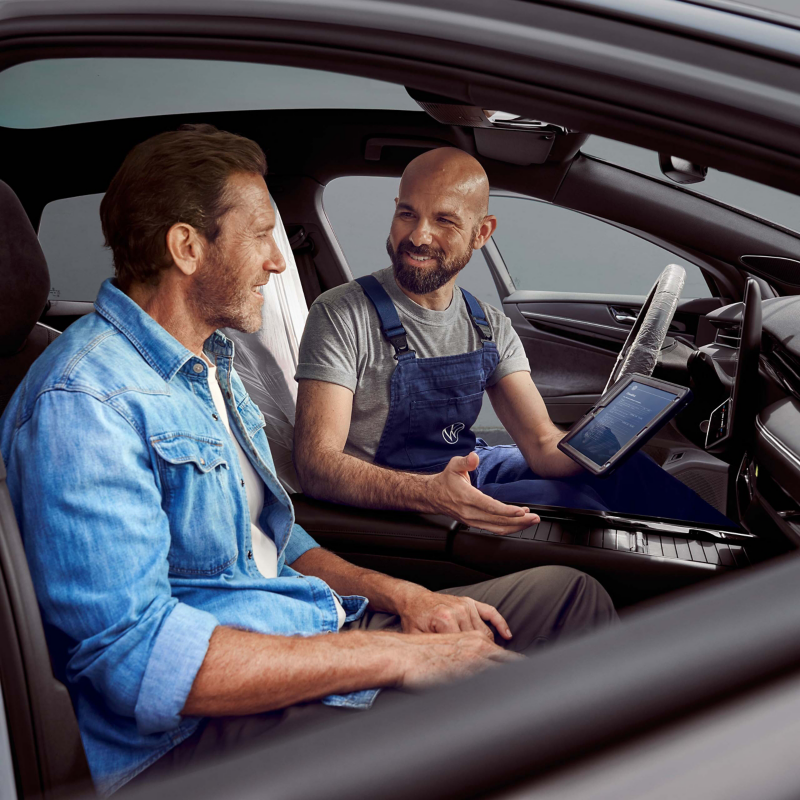
    Customer sits in the car, VW service employee explains something to him on the tablet
    • Preventive:
      Your Volkswagen measures and analyses wear and tear so that potential problems and defects can be detected at an early stage and unexpected breakdowns can be largely avoided.
    • Convenient:
      Data can be automatically sent to the Volkswagen Partner and service appointments can be conveniently arranged from the car.
    • Cost and time saving:
      Thanks to early detection, you can plan better financially and avoid unnecessary visits to the workshop. For example, follow-up maintenance work due to delayed repairs can be largely avoided.
    • Efficient:
      Downtimes can be reduced.
    • Needs-oriented and resource-saving:
      Maintenance work and repairs are only carried out when they are really necessary. This not only reduces the number of visits to the workshop but also saves valuable resources.
    One app, many features

    Before using the app for the first time, simply agree to the privacy policy and enter your preferred Volkswagen Partner in the app.
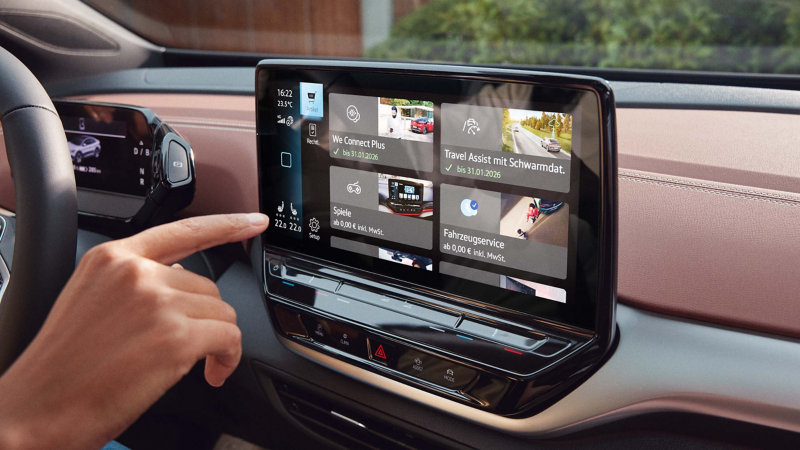
    Close-up of a hand using the In-Car App in the VW infotainment system

    1. View vehicle status

    Keep track of things and receive information about the status of your Volkswagen before travelling, for example. The app lists existing warning messages and maintenance events that are due and shows the current status of the driver assistance systems.⁠

    2. Arrange service appointments⁠

    • Screen shows general overview in the In-Car App Vehicle Service

      Get an overview

      The start screen provides you with important information about your vehicle: from the current mileage to your vehicle identification number (VIN) and upcoming appointments. You can also see whether there are currently any messages about the condition of the vehicle.

    • Screen shows overview of vehicle status in the In-Car App Vehicle Service

      Check status

      Under “Status” you can find an overview of various services as well as current status messages about your Volkswagen. To find out what potential service work is due, simply select the “Warnings” option.

    • Screen shows In-Car App Vehicle Service with vehicle status messages

      View messages and request services

      You will then find a clear list of the individual messages. Here you have the option of arranging a service appointment, among other things. To get to the appointment selection, select the corresponding message and then click on “Contact Workshop”. You can obtain specific information on the respective status message by clicking on the “i” information button.

    • Screen shows In-Car App Vehicle Service with options menu for desired date

      Select date

      You can now select your desired date and confirm it by pressing the “Request Appointment” button. Your Volkswagen Partner will contact you as soon as possible.

    • Screen shows general overview in the In-Car App Vehicle Service

      Check overview

      If the appointment has been confirmed by your Volkswagen Partner, you can find it in the overview.

    3. Be reminded to make an appointment

    Sometimes it’s difficult to remember that you need to make a service appointment. That’s why you can just use the app to be reminded of it at a later time. You can also set a reminder for expiring vehicle accessories, such as first aid kits or tyre sealant, so that you can get a replacement in time.

    • Infotainment system screen with service overview in the In-Car App Vehicle Service

      Select service

      To create a reminder for making an appointment, first select the relevant service under “Status”, e.g. the next MOT.

    • Infotainment system screen with appointment selection in the In-Car App Vehicle Service

      Set date

      You can then use the arrow buttons to set the expiry date or due date you would like to be reminded of and confirm it by clicking the “Activate reminder” button.

    • Infotainment system screen with service overview in the In-Car App Vehicle Service

      Check overview

      You can find the created reminder in your status overview.

    4. Automatic appointment scheduling

    You can make things even more convenient by agreeing to the automatic transmission of data via the “Settings” menu item. Your saved Volkswagen Partner continuously receives current data on your vehicle and proactively contacts you if a service or repair is necessary.

    5. Contact Volkswagen Roadside Assistance

    Out on the road and your vehicle breaks down? With the In-Car App, you can contact the Volkswagen Roadside Assistance directly via the “Status” section.

    How the app works

    Two women use the infotainment system in the VW car

    Our vehicles are equipped with state-of-the-art sensors that continuously collect data on the condition of the vehicle, including mileage, temperature and oil pressure. This data is analysed to identify patterns and anomalies that indicate potential problems. This enables us to take timely action to minimise downtime and unexpected breakdowns, for example. We refer to this innovative maintenance strategy as Predictive Maintenance.

    FAQ on the In-Car App Vehicle Service
    • What is an In-Car App?

      The In-Car Apps are applications that you can download and use directly via the infotainment system of your Volkswagen.

    • What do I need to be able to use the In-Car App Vehicle Service?

      To use it, you need a Volkswagen ID and a valid VW Connect contract⁠. We show you how to create the Volkswagen ID and how to conclude and activate the contract.

      Go to VW Connect activation
    • Can I use the In-Car App Vehicle Service with my Volkswagen?

      That depends on the model and age of your Volkswagen. The following overview shows the year from which the app has been available for your vehicle.

      ID.3: from 2019
      ID.4, ID.5, ID.7, ID.7 Tourer: available for all model years
      Golf: from 2021
      Tiguan: from 2024
      Passat: from 2024
      Tayron: from 2025

    • Does the Vehicle Service In-Car App automatically send my data to the Volkswagen dealership?

      If you would like to use this convenient feature, you must actively agree to the data transfer. To do this, tick the “Automatic appointment scheduling” box in the settings. From now on, the vehicle data will be transferred directly to your Volkswagen Partner. They will proactively contact you to arrange an appointment if a repair is required.

    Discover even more In-Car Apps

    In addition to the Vehicle Service App, you can download other useful apps from the In-Car Shop⁠ or the Volkswagen Connect Shop, such as Spotify⁠, AirConsole⁠ or We Charge. Here you can find an overview of the currently available In-Car Apps for your ID. Model or your combustion or hybrid vehicle.

    Go to Volkswagen Connect ShopOpens an external link
    • Imprint
    • Legal Statement
    • Cookie Policy
    • Privacy Policy
    • Volkswagen AG (Imprint & Legal texts)
    • Product Safety Information
    • Accessibility Statement Page
    • EU Data Act
    • CIC Withdrawal

    Disclaimer by Continental Cars Ltd.

    1. 1.
      Features may vary according to the model version and depending on country-specific statutory requirements and vehicle equipment.
    2. 2.
      When buying a new vehicle, there is an option to use mobile online services from Volkswagen for an initial contract period offered for free. The VW Safe & Secure service package is excluded from this. There is currently no initial free contract period for this package. To use this package, you need to set up a valid Volkswagen ID user account and log in with a username and password. Once you have successfully set up the Volkswagen ID user account and connected it to your vehicle, you must conclude a separate contract for mobile online services with Volkswagen AG. You can do this online at www.myvolkswagen.net, via the Volkswagen app (available from the App Store and Google Play Store) or directly from your vehicle’s infotainment system.The use of mobile online services is enabled by an integrated internet connection. Volkswagen AG will be liable for the associated data costs incurred within Europe under the network coverage. The VW Comfort & Entertainment service package is excluded from this. A data plan of 20 GB per month is provided for this package by Volkswagen AG via external mobile communications partner Vodafone and can be used in the network coverage area within many European countries. Additional data, which may be used for the WIFI hotspot or apps from third-party providers, for instance, may also be purchased via Vodafone or Cubic. You can find more information on conditions, prices and countries supported on the external mobile phone provider’s website.Some features can be used via the Volkswagen app. A smartphone with a suitable iOS or Android operating system and SIM card including a data option with an existing mobile data contract or one to be agreed separately between you and your mobile data provider is required to use the free app. Please note that the use of mobile data connections – particularly abroad – may incur additional costs (e.g. roaming fees). Volkswagen AG accepts no liability for this.   The availability of the mobile online services included in the packages may differ depending on country, model, software and equipment. The services are available for the agreed contract period and may be subject to substantive changes or terminated during the contract period.More information is available at connect.volkswagen.com and from your Volkswagen dealership. Details of mobile data charges can be obtained directly from the relevant mobile phone provider.
    3. 3.
      Not available for the Touareg from model year 2025.
    4. 4.
      If the vehicle is part of a fleet, the mobile online service can only be used by the fleet manager. 
    5. 5.
      Spotify and all associated logos and movement marks are protected trademarks of Spotify Technology S.A. (Spotify) or its subsidiaries. You need a Spotify account to use Spotify. Volkswagen AG (Volkswagen) allows access to Spotify audio streaming services using this In-Car App. Volkswagen is not responsible for providing the Spotify services. Spotify provides the Spotify services at its own responsibility. Use of Spotify services is governed by the Terms of Use and Privacy Policy of Spotify. Information on data processing for the purposes of passing on data to Spotify can be found in the VW Connect (Plus). Privacy Policy. To use the Spotify In-Car App in a Volkswagen, you also need a Volkswagen ID and a VW Connect Plus contract.
    6. 6.
      A VW Comfort & Entertainment contract is required to use AirConsole. The AirConsole provider and contractual partner is N-Dream AG. AirConsole is used in accordance with the legal provisions of N-Dream AG. Volkswagen bears no responsibility for the content of AirConsole and only provides technical access. Availability of the AirConsole In-Car App may vary depending on the country and vehicle model. The In-Car App can be downloaded free of charge from the In-Car Shop. You may need external data to use AirConsole. For this purpose, you may use the internet connection from your smartphone or purchase data plans from external mobile communications partner Vodafone and use them in the network coverage area within many Europeancountries. The data in these plans can be used by all users and vehicle occupants. Information on conditions, prices andsupported countries can be found on the website of the external mobile phone provider.
    1. The information, pictures, colours, and specifications contained within this website are presented as a general guide to the products and accessories offered by Continental Cars Ltd. Although every effort has been made to ensure that such information is correct and up to date, no warranty is provided that all such information is reliable, complete, accurate or without error. In some cases pictures of overseas models may be shown as a guide. Therefore, neither Volkswagen AG nor Continental Cars Ltd accept liability for damages of any kind resulting from the access or use of this site and its contents.
    Go to next slide: AirConsole – gaming on board
    Dynamic Background Lighting
    AirConsole – gaming on board